
The HostVenom Server Control Panel, Tenantos, the more powerful partner to the Billing Portal for interacting with your server hardware remotely.
Logging in
There are two methods of logging in to the HostVenom Server Control Panel, the first one is using SSO (Single Sign On) and the second is using the credentials provided to you when you first purchased your service.
With SSO
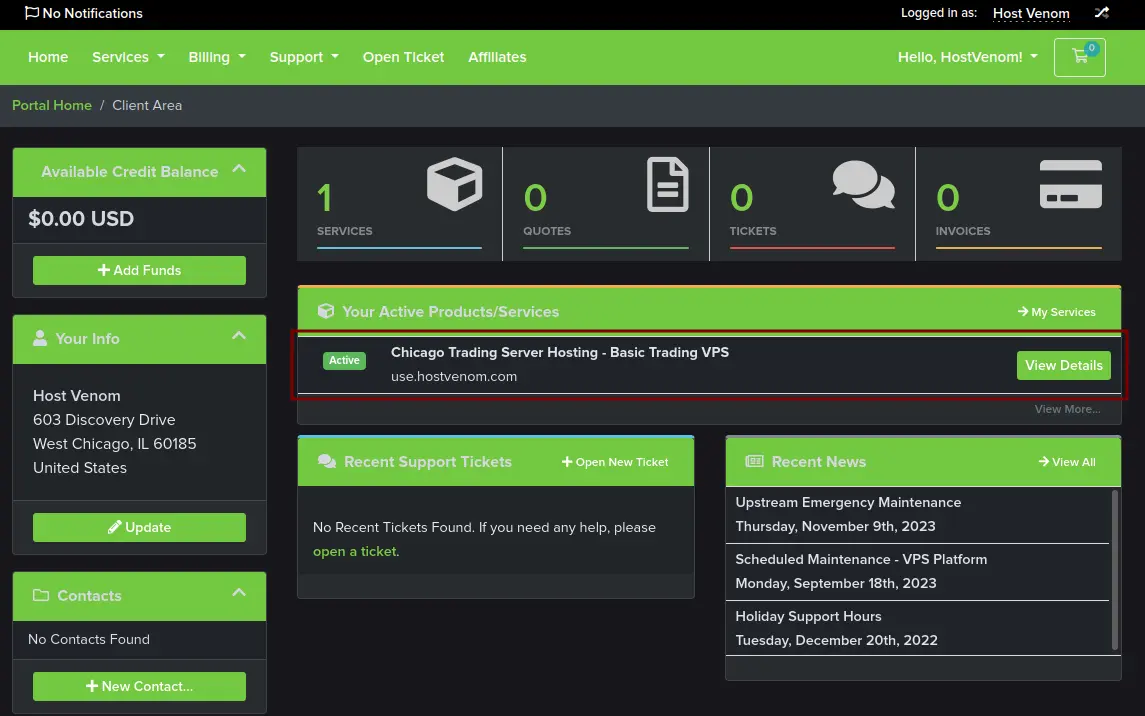
SSO, otherwise known as Single Sign On, can be used to sign in to the HostVenom Server Control Panel using your billing credentials. You’ll need to log into the Billing Portal and then click on the “Manage Service” button next to the active service you want.
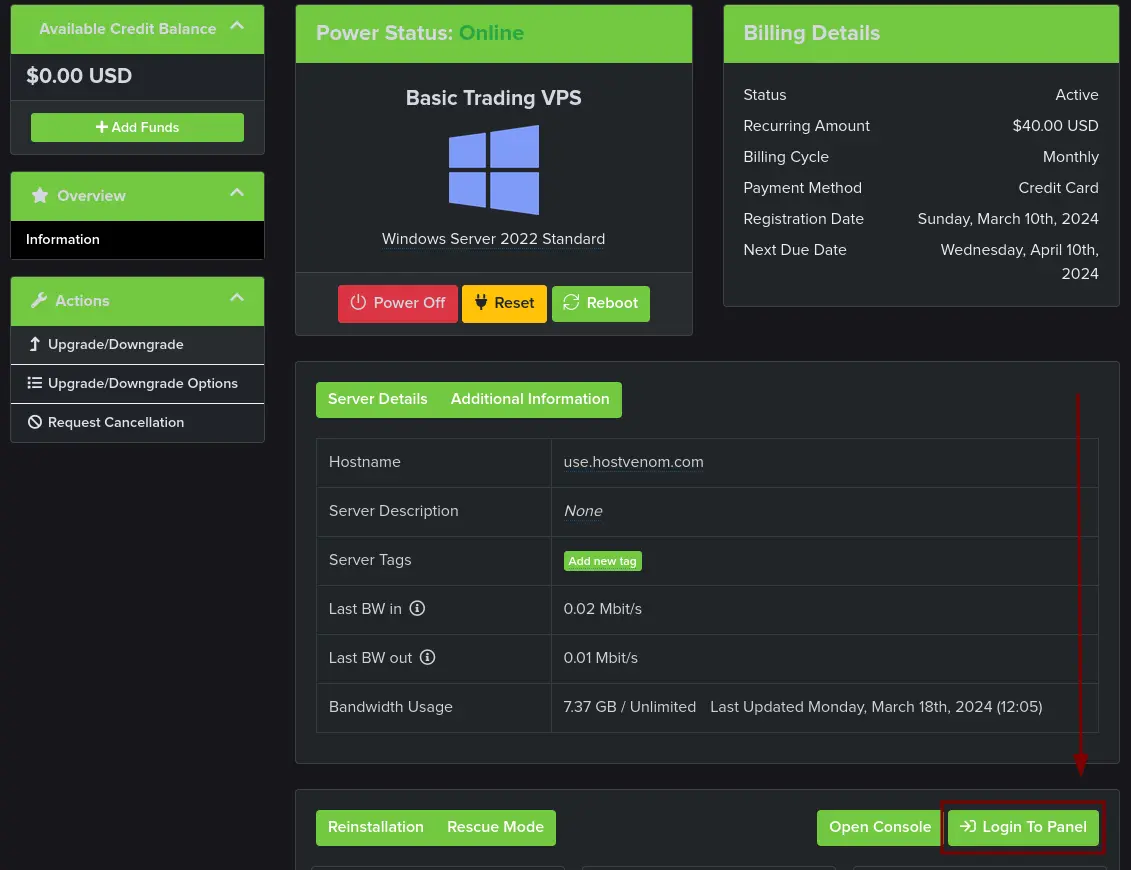
With the service page open, you’ll want to click on the Login To Panel button on top of the card below the server details.
With credentials
Logging in with credentials is straightforward, navigate to the HostVenom Server Control Panel and enter your credentials into the fields.
Resetting Credentials
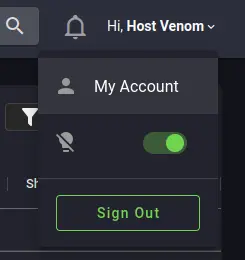
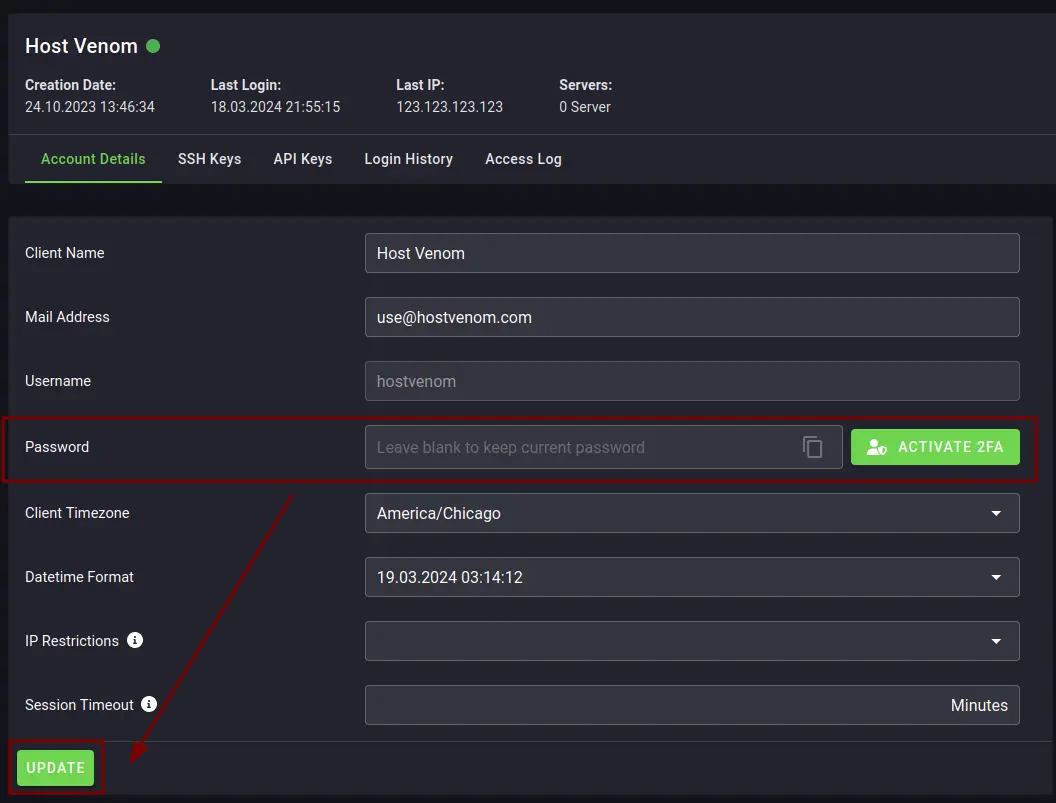
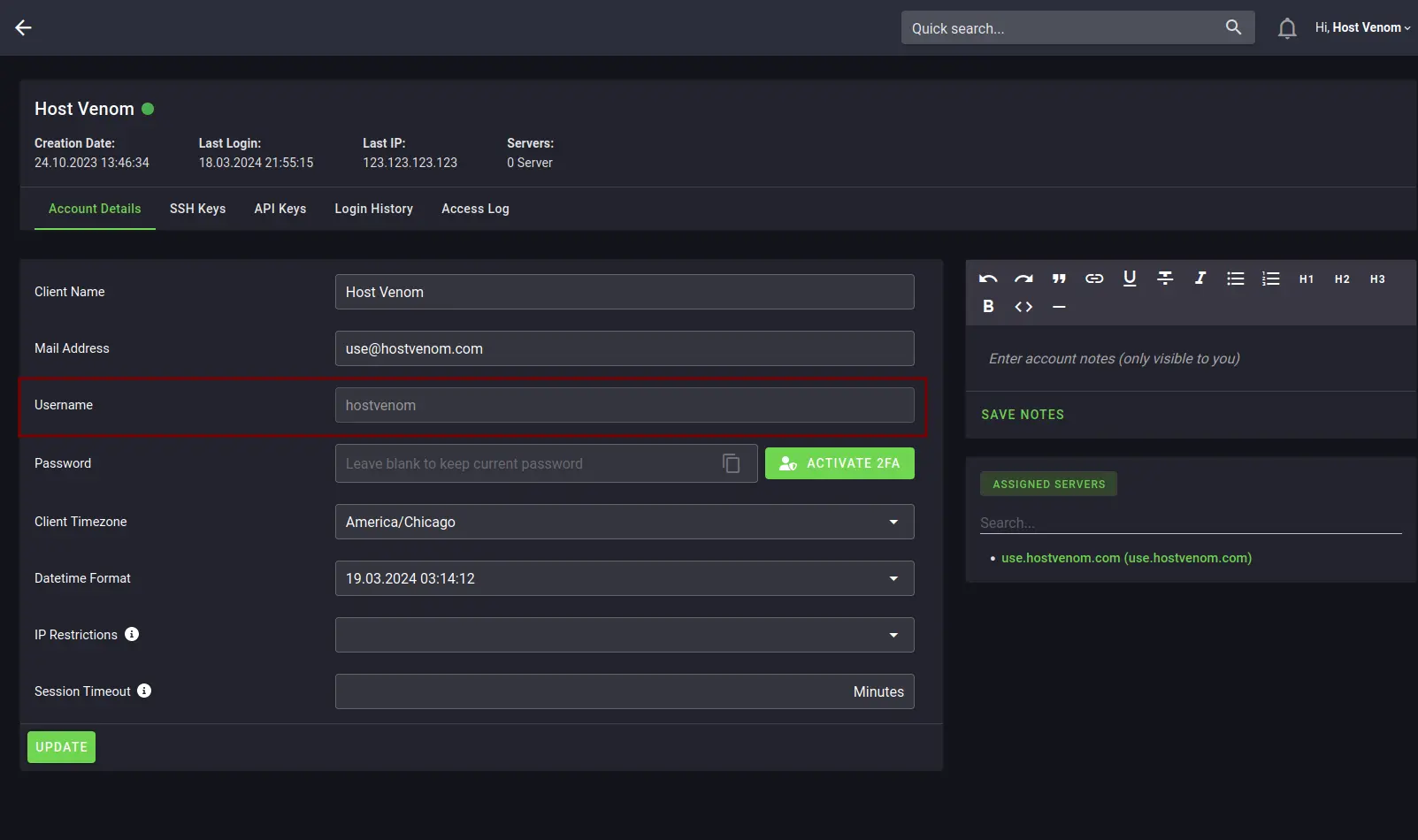
If you’ve forgotten your credentials to the HostVenom Server Control Panel, then you’ll need to log in using SSO and navigate to the My Account page by clicking on the greeting in the top right hand corner of the top navigation bar. Once there, you can change your password using the Password field and then clicking on the UPDATE button at the bottom of the card.
Locating Username
Your username for logging into the HostVenom Server Control Panel can be found in the email you received when you initially purchased a service with HostVenom, or by logging into the Server Control Panel Using SSO, clicking on the greeting in the top right hand corner of the screen, selecting My Account from the dropdown, and then locating the Username field.
More in Server Management
Managing Your Server via the Billing Portal
How to manage your VPS, Colocated, and Dedicated servers through the HostVenom Billing Portal. Covers power control, reinstallation, IP assignments, rDNS, and traffic graphs.
Chrome Remote Desktop
How to install and connect to your HostVenom Windows/Linux server using Chrome Remote Desktop.
NoVNC
How to log in to and use NoVNC to control your HostVenom Windows/Linux server from your browser.
Reverse DNS (rDNS)
How to correctly configure rDNS for your server and domain on the HostVenom Server Control Panel or Billing Area.
Frequently Asked Questions
Use SSO. Log into the Billing Portal, click Manage Service next to the active service you want, then click the Login To Panel button on the top of the card below the server details.
Log in with SSO, click the greeting in the top right corner of the top navigation bar to open My Account, change the Password field, then click UPDATE at the bottom of the card.
It is in the email you received when you first purchased a service with HostVenom. You can also log in with SSO, select My Account from the greeting dropdown, and read the Username field.
It is Tenantos, hosted at panel.hostvenom.com. It is the more powerful partner to the Billing Portal for interacting with your server hardware remotely.